How to Troubleshoot Thermostat Problems
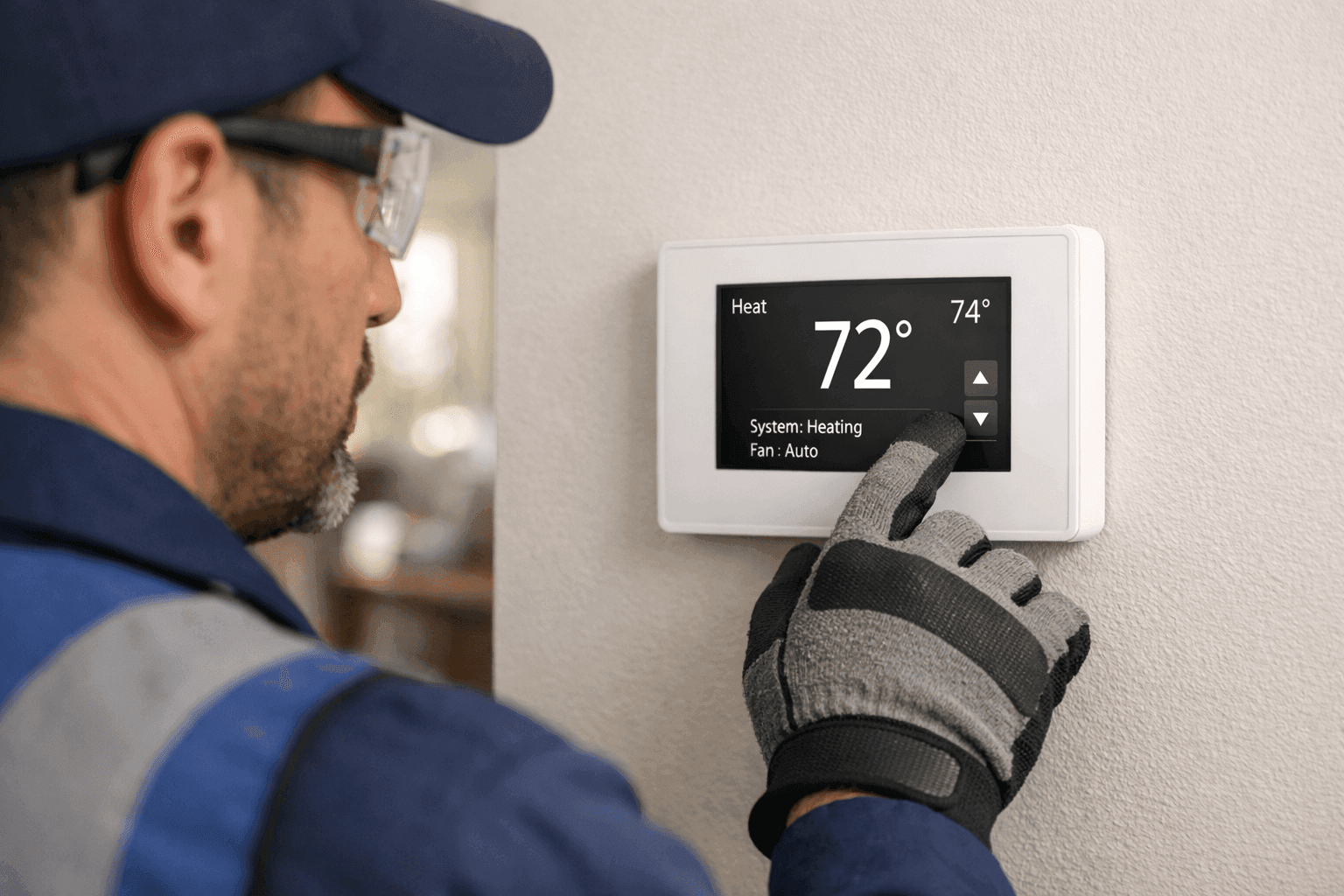
When your home feels like a freezer—or a sauna—despite what the thermostat says, frustration builds fast. A misbehaving thermostat throws off your comfort, disrupts routines, and can even impact your energy bills.
At Matlock HVAC, we’ve seen it all. Thermostat troubles can be sneaky, popping up in homes and businesses alike. But with a bit of safe troubleshooting, you can often get things back on track—or know when it’s time to phone a pro.
Common Thermostat Problems and Symptoms 🕵️
Thermostats are like the brain of your HVAC system. When they act up, the whole house feels it. Here are the red flags to watch for:
- No Response: You press the buttons, but nothing happens. The screen might be blank—or frozen.
- Temperature Doesn’t Match: The room feels much warmer or cooler than what the thermostat displays.
- Frequent Cycling: Your furnace or AC turns on and off constantly, like a yo-yo.
- System Won’t Start or Stop: The heating or cooling system ignores your settings.
- Unusual Noises: Clicking, buzzing, or humming comes from the thermostat itself.
- Battery Warnings: Low battery icons or alerts keep popping up.
Sometimes the problem is the thermostat. Other times, the issue lies deeper—wiring, sensors, or even the HVAC unit itself.
Quick Safety Checklist
Before you dive in, safety first:
- Turn off power at the circuit breaker to your HVAC system, especially if you’ll be opening the thermostat.
- Never force the thermostat cover open; check for release tabs or screws.
- Wear rubber-soled shoes if you’re working near electrical panels.
- If you see burnt wires, smell smoke, or spot melted components—stop. Call a licensed technician immediately.
For more on electrical safety, the U.S. Consumer Product Safety Commission offers helpful guidelines.
DIY Troubleshooting Steps
You don’t need a toolbox full of gadgets to get started. Here are practical steps for diagnosing common thermostat issues:
1. Check the Power
- Is the display dead? Try replacing the batteries if your thermostat uses them. Still nothing? Check the circuit breaker for tripped switches.
- Programmable or smart thermostat? Verify the Wi-Fi connection and ensure the app is up to date.
2. Inspect Settings
- Mode set right? Make sure it’s set to “Heat” or “Cool” as needed, not just “Fan.”
- Temperature set correctly? Sounds simple, but accidental bumps happen.
- Hold and Schedules: Some models have “Hold” settings that override schedules.
3. Clean the Thermostat
- Dust can confuse sensors. Gently clean around the thermostat with a soft brush. Avoid moisture.
4. Confirm Location
- Is it near a draft, direct sunlight, or a heat source? These can throw off readings.
5. Inspect the Wiring
- Loose or corroded wires can break connections. If you’re comfortable, remove the cover and check for obvious issues. Otherwise, leave deeper wiring to a pro.
6. Test the HVAC System
- Try turning your system on manually at the thermostat. If nothing happens, the issue might be with the HVAC equipment itself.
If these steps don’t resolve the issue, you might need more advanced help. But sometimes, a simple fix is all it takes.
When to Repair or Replace
How do you know if your thermostat just needs a tweak, or if it’s time for a new one?
- Repair: If your thermostat is less than 10 years old, and the issue is minor (like battery replacement or reprogramming), a repair is often enough.
- Replace: Consider an upgrade if:
- It’s older than a decade.
- It’s not compatible with new HVAC systems.
- You want features like Wi-Fi control or energy tracking.
- There’s visible damage or persistent malfunctions.
Modern thermostats can boost efficiency and comfort. If you’re curious about new options, see how smart thermostat installation works or visit our thermostats service page for details on what’s available.
Professional Help for Complex Issues
Some thermostat headaches go beyond DIY fixes. Here’s when it’s time to call in a technician:
- Wiring Concerns: If wires are frayed, burnt, or disconnected.
- Frequent System Cycling: This might signal a deeper HVAC issue.
- Thermostat Replacement: Swapping in a new thermostat can get tricky with new wiring or advanced features.
- HVAC Fails to Respond: If your system ignores the thermostat entirely, there could be a problem with the control board or sensors.
Licensed HVAC pros have the tools and training to diagnose and repair these issues safely. They’ll follow local electrical codes and manufacturer guidelines to protect your home and equipment.
For complex troubleshooting or whole-system repair, our hvac repair specialists can ensure every connection is safe and sound.
Preventing Thermostat Trouble
A little care goes a long way. Here’s how to keep your thermostat humming:
- Change batteries yearly
- Keep it clean and dust-free
- Schedule regular HVAC maintenance
- Update software on smart models
- Avoid bumping or jostling the thermostat
Routine checkups catch small issues before they snowball into big headaches. The U.S. Department of Energy recommends annual HVAC inspections for most homes and businesses.
Seasonal Considerations
Thermostat issues often surface with the change of seasons—right when you need heating or cooling most. Test your system before the first heatwave or cold snap. This gives you time to handle repairs before peak demand.
If you’re in a region where weather swings are dramatic, timely maintenance is especially important. Local support is available if you need service in Portland and nearby areas, with technicians who understand the quirks of area homes and offices.
Common Mistakes to Avoid
Even the best DIYers slip sometimes. Watch for these pitfalls:
- Mislabeling wires when swapping thermostats—always take a picture before disconnecting anything!
- Forgetting to turn off the breaker
- Mounting in a poor location (above vents, in direct sun)
- Ignoring manufacturer instructions
Read the manual—really! Each model has its own quirks.
Timeline and Disruption
Basic troubleshooting usually takes less than an hour. Professional repairs or replacements might take a bit longer, especially with complex wiring or integration with other “smart home” systems. Most work can be done with minimal disruption, but always ask your technician what to expect.
Materials and Equipment
For simple fixes, you’ll need:
- Fresh batteries
- Small screwdriver
- Soft brush or cloth
- Smartphone camera (for wiring photos)
Leave specialized tools—voltage testers, wire strippers, multimeters—to the pros unless you’re confident in electrical work.
When It’s an Emergency 🚨
Is your thermostat out—and your heat or AC with it—during extreme weather? That’s more than an inconvenience; it can be a safety risk. For elderly residents, young children, or anyone with health concerns, don’t wait. Seek immediate help.
If you need 24-hour emergency support, Matlock HVAC is available day or night.
FAQ: Thermostat Troubleshooting
Q: How often should I replace my thermostat?
A: Most last 10–15 years. Upgrade if you’re installing new HVAC equipment or want smart features.
Q: Can I install a new thermostat myself?
A: Basic models, sometimes. But if you’re unsure about wiring or compatibility, play it safe and call a pro.
Q: Why does my thermostat lose power?
A: Dead batteries, loose wires, or tripped breakers are common culprits.
Q: Is a smart thermostat worth it?
A: Many homeowners see energy savings and improved comfort. Features like remote control and scheduling can make a big difference.
Conclusion: Stay Comfortable, Stay Safe
Thermostat problems are annoying, but most have straightforward solutions. With some safe DIY steps, you can fix minor issues—or spot when it’s time to call for help. If your home or business needs reliable thermostat or HVAC service, Matlock HVAC is here to help.
Call Matlock HVAC now — or reach us anytime at 844-484-6545 .