How to Pick the Best Thermostat for Your System
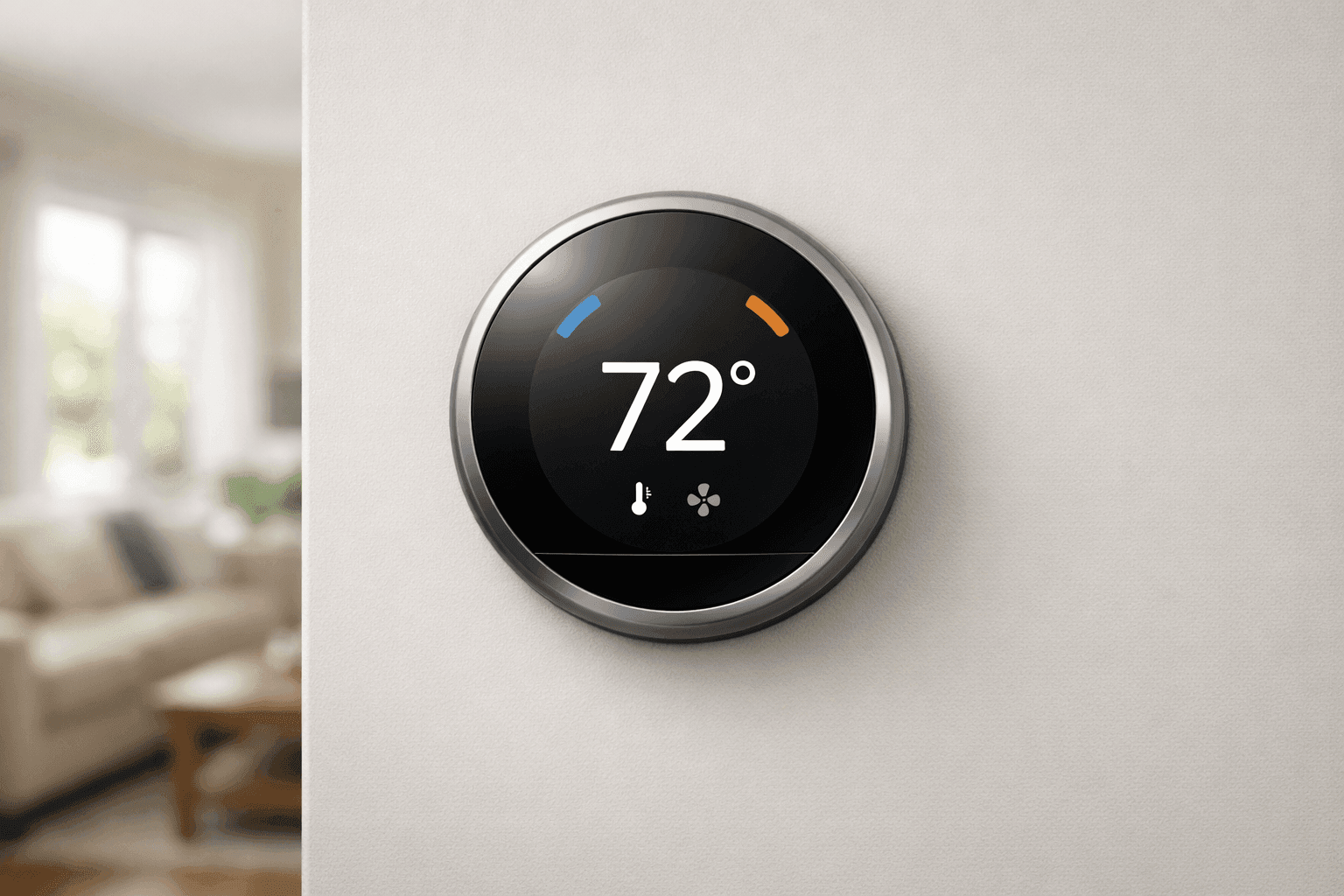
Why Your Thermostat Choice Matters
Ever felt like your home’s temperature has a mind of its own? You’re not alone. The right thermostat acts like the conductor of an orchestra—when it’s in tune, everything runs smoothly. When it isn’t, you’re left with chilly mornings or stuffy afternoons.
At Matlock HVAC, we know how much comfort means, whether you’re at home or running a business. Picking the right thermostat can mean the difference between smooth sailing and constant fiddling. Let's break down your choices and help you get it right.
Thermostat Types Explained 🛠️
Manual, Programmable, and Smart
Thermostats come in three main flavors: manual, programmable, and smart. Each fits a different lifestyle—think of them like bikes, cars, and self-driving EVs.
- Manual: Twist the dial or slide the lever. It’s basic, reliable, but you set everything by hand. Great for folks who like control or have a steady routine.
- Programmable: Like setting your coffee pot to brew before you wake up. Programmable models let you pre-set temperatures for different times of day or week. Ideal for families or offices with set schedules.
- Smart: These are the brainiacs. Connect them to Wi-Fi, and they’ll learn your habits, let you control settings with your phone, and even adjust for weather changes. Some models work with home assistants and provide energy use reports.
Compatibility with HVAC Systems
Before you fall in love with a smart thermostat, check your HVAC’s “vocabulary.” Some older systems don’t speak the same language as newer thermostats.
- Low-voltage (24V) systems: Most common in homes and compatible with nearly all thermostat types.
- Line-voltage (120V/240V) systems: Found in baseboard or radiant heaters. These need special thermostats.
- Multi-stage systems: If you have a fancy multi-stage furnace or heat pump, make sure your thermostat can handle it.
- Additional features: Humidifiers, dehumidifiers, air scrubbers, or zoning? You’ll want a thermostat that supports these extras.
Still unsure? Manufacturers like Honeywell and Ecobee provide compatibility guides, or you can check the thermostats service page for a quick match-up.
Key Features to Consider
What makes a thermostat truly “fit” your home or business? Look for:
- Ease of use: Clear screens, simple buttons, and easy-to-read displays.
- Scheduling: Set it and forget it, or tweak as needed.
- Remote access: Handy if you travel or want to adjust settings while away.
- Energy tracking: Some models show reports to help you save energy (and money).
- Integration: Works well with your HVAC, air quality systems, or even security devices.
- Alerts: Notifications for filter changes, system errors, or extreme temperatures.
- Design: Sleek or subtle, pick what suits your space.
Installation and Setup Tips
Installing a thermostat is like swapping out a light fixture—it’s within reach for many, but mistakes can cost you comfort or safety.
- Power down: Always turn off power to your HVAC at the breaker.
- Label wires: Snap a photo and label each wire before disconnecting the old thermostat.
- Mount level: Keep your new thermostat straight and away from heat sources or drafts.
- Follow instructions: Each model has quirks—read the manual.
- Test your system: Once installed, run heating and cooling cycles to check function.
If you’re integrating with a complex HVAC system or specialty equipment, consider professional help. When in doubt, it’s safer to call in certified technicians for HVAC installation.
Safety First: Quick Checklist
- Turn off power before you touch any wires.
- Use insulated tools.
- Double-check manufacturer’s wiring diagrams.
- Never install a line-voltage thermostat on a low-voltage system or vice versa.
- If you see scorched wires or loose connections, stop and consult a pro.
The U.S. Department of Energy and National Electrical Code (NEC) provide clear safety recommendations—review them if you’re tackling DIY.
Manual vs. Programmable vs. Smart: Pros and Cons
Each thermostat type has strengths and drawbacks:
- Manual: Simple, low cost, but no automation. Best for stable environments.
- Programmable: Saves energy if you stick to a routine. Can be confusing to program for some.
- Smart: Maximum flexibility, remote control, detailed reports. Higher upfront cost, but often pays off in energy savings.
If you’re a tech lover or have a varied schedule, smart thermostats shine. But for a rental property or a single-zone shop, manual or programmable might be just right.
How Thermostats Impact Indoor Air Quality
A modern thermostat does more than control the temperature. Many models can work with:
- Humidifiers and dehumidifiers to balance air moisture.
- Air scrubbers or filters to boost indoor air quality (IAQ).
- Zoning systems to fine-tune comfort in different rooms.
This means your choice in thermostat can directly affect your family’s health and comfort. Look for models that support IAQ features if you have allergies, respiratory issues, or want to keep your space fresher.
Troubleshooting Common Thermostat Issues
Sometimes, things just don’t click. Here are quick fixes for common thermostat headaches:
- No power: Check batteries or confirm power at the breaker.
- No response: Inspect wire connections and settings.
- System cycles too often: Adjust the anticipator (manual/programmable) or check for drafts.
- Incorrect temperature: Relocate the thermostat away from windows, doors, or electronics.
If problems persist, it may be a sign your system or thermostat isn’t compatible, or you might need a deeper home energy audit to pinpoint HVAC issues.
DIY or Call a Pro?
If you’re comfortable with tools and wiring, swapping out a simple thermostat can be a Saturday project. But smart thermostats, multi-stage systems, or commercial setups are a different animal.
- DIY is fine for basic replacements.
- For new installs, smart models, or if you see odd wiring, call a pro.
- Regulatory codes matter—professional installers stay up-to-date on the latest safety and efficiency standards.
Many homeowners find peace of mind knowing their system is set up for maximum comfort and energy savings.
How Long Does Installation Take?
- Manual/programmable replacements: 30–60 minutes for most.
- Smart thermostats: 1–2 hours, especially if Wi-Fi setup or C-wire installation is needed.
- Commercial/complex systems: 2–4 hours, accounting for integration with IAQ, zoning, or security systems.
Factor in extra time for setup and testing—rushing leads to mistakes.
Maintaining Your Thermostat for Peak Performance
Keep your thermostat working like new with these tips:
- Dust the unit gently every few months.
- Replace batteries yearly (if equipped).
- Update smart thermostat firmware regularly.
- Check for system updates from the manufacturer.
- Review and adjust schedules seasonally.
A well-maintained thermostat helps your HVAC system run smoothly, keeps energy bills in check, and extends equipment life.
Signs It’s Time to Replace Your Thermostat
- Your system won’t turn on or respond.
- Frequent temperature swings.
- Outdated model—especially if you’ve upgraded your HVAC.
- Buttons or display no longer work.
- You crave remote control or automation features.
If you notice these, upgrading can save energy and improve comfort right away.
Cost Factors to Consider
- Manual thermostats: Lowest upfront cost, minimal features.
- Programmable: Slightly higher price, but often pays for itself in a year or two.
- Smart: Higher investment, but rebates and energy savings help offset the cost.
Professional installation adds to the price but ensures safe and proper operation—an investment in peace of mind.
Seasonal Considerations and Local Availability
As seasons change, your thermostat settings should adapt. Program higher cooling temps in summer, lower heating in winter, and take advantage of fan or air circulation modes for spring and fall.
For readers near Norman, local service is just a call away—see local availability in Norman for timely support in your area.
Common Mistakes to Avoid
- Skipping compatibility checks—don’t just buy the flashiest model.
- Ignoring C-wire requirements for smart thermostats.
- Installing in drafty or sunlit spots, which skews readings.
- Not updating schedules or system settings with the seasons.
A little planning up front saves headaches down the road.
When It’s an Emergency
Sudden system failure? Extreme temperatures? A malfunctioning thermostat can be more than an inconvenience—it’s a safety issue. Matlock HVAC offers 24-hour emergency service for urgent HVAC problems, so you’re never left in the cold (or heat).
FAQ: Thermostats and Your HVAC System
Q: Can I install a smart thermostat myself?
A: For many homes, yes, but multi-stage or commercial systems usually need a pro.
Q: How do I know if my HVAC system is compatible?
A: Check your system’s voltage and features, or consult a certified installer.
Q: How often should I replace my thermostat?
A: Most last 10+ years, but upgrade sooner for advanced features or if you replace your HVAC.
Q: Will a new thermostat save me money?
A: Programmable and smart models can cut energy bills by 10–20% according to the U.S. Department of Energy.
Certified Products and Installation: The Final Word
Choose thermostats listed by trusted agencies (UL, Energy Star) and always rely on certified installers for complex jobs. This ensures your system meets safety codes and works as intended.
Ready to upgrade? Check out our thermostat options and services or reach out with questions.
Call Matlock HVAC now — or reach us anytime at 844-484-6545 .