How to Choose the Right Thermostat for Your HVAC System
Keeping your home or business comfortable isn’t just about the furnace or air conditioner itself. The real “brains” of the whole operation? That’s your thermostat. Pick the wrong one and your system can run wild, wasting energy—or worse, leaving you sweating or shivering when you least expect it.
With so many options out there, choosing the right thermostat for your HVAC system can feel like picking the right pair of shoes for a marathon. It needs to fit perfectly, keep up with your lifestyle, and not give out halfway through the race.
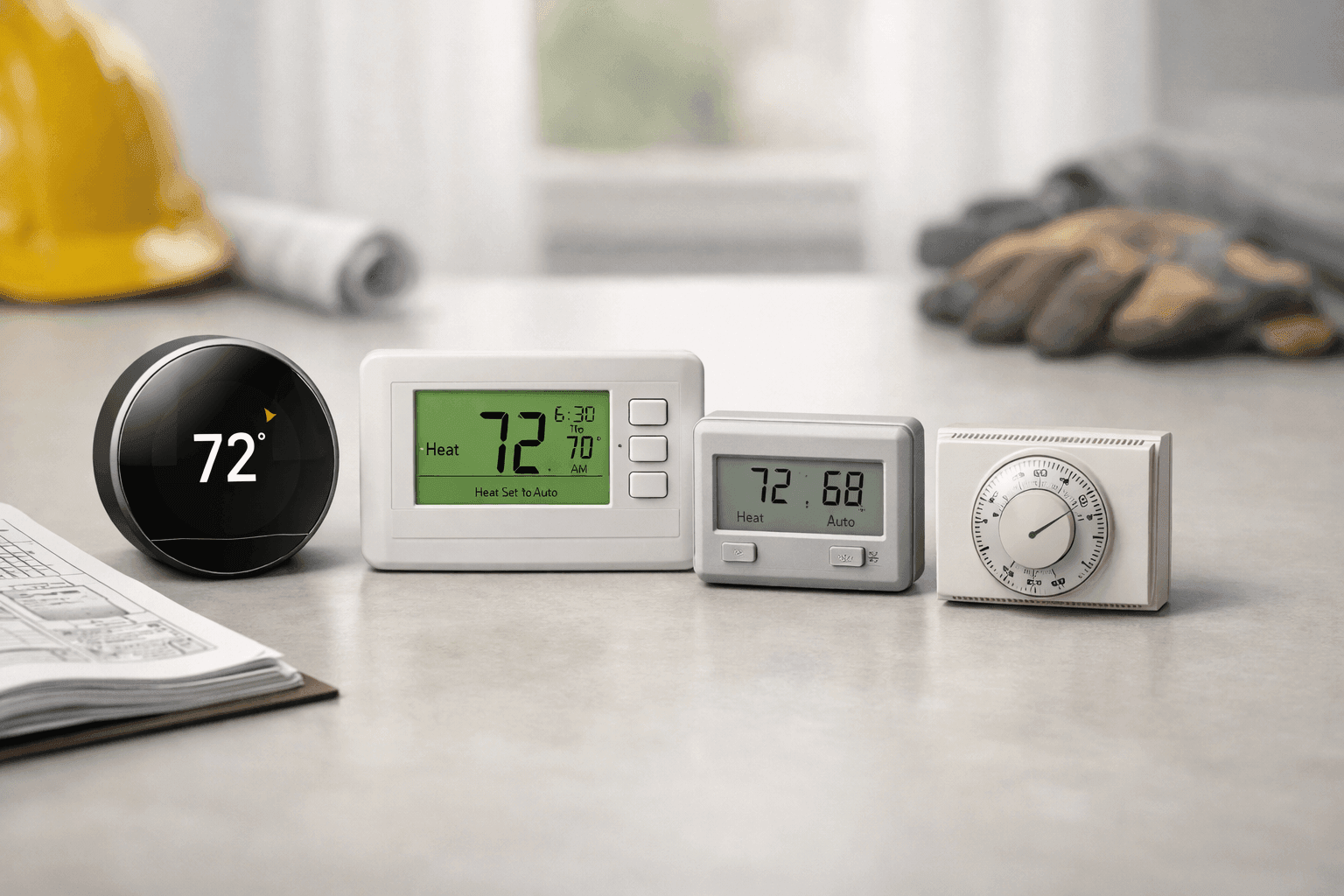
Types of Thermostats Explained 🕹️
Not all thermostats are created equal. Some are as basic as a light switch, while others are more like the dashboard of a spaceship. Here’s a rundown:
- Manual (Mechanical) Thermostats: Simple dials or sliders. Reliable, but no frills. Set it and forget it—until you remember it’s too hot or cold.
- Programmable Thermostats: Set different temperatures for different times of day. Great for busy families or offices that empty out at night.
- Smart Thermostats: Connect to Wi-Fi, learn your patterns, and can be controlled from your phone or voice assistant. These are the “smartphones” of the thermostat world.
- Wireless/Remote Sensors: Some advanced models include wireless sensors for different rooms, balancing temperatures throughout the building.
Each style has its place. The right choice depends on how much control you want and how hands-off you’d like to be.
Key Features to Look For
Thermostats can do more than just turn the heat up or down. Some features are game-changers:
- Touchscreen or digital display: Easier to read, especially in low light.
- Adaptive learning: Smart models can learn your schedule and adjust automatically.
- Remote access: Control your HVAC from anywhere using your phone.
- Humidity control: Essential if you rely on [humidifiers near you] or have air scrubbers to keep air quality in check.
- Energy usage tracking: Some thermostats report how much energy you use, helping you spot wasteful habits.
- Zoning support: For homes or businesses with multiple HVAC zones.
- Alerts and diagnostics: Get notified when it’s time to replace filters or if your system detects a problem.
Think about your daily routine, building size, and whether you want to automate comfort—or keep things old-school.
Compatibility with HVAC Systems
A thermostat is only as good as its compatibility. Imagine buying a fancy new remote, only to find it doesn’t work with your TV.
- System type: Is your setup single-stage (one heating/cooling speed), multi-stage, or variable speed? Some thermostats only support basic systems.
- Fuel type: Electric, gas, oil, or heat pump? Some thermostats are picky.
- Wiring: Older homes may lack the “C-wire” (common wire) required for advanced models. No C-wire? Some smart thermostats offer adapters, but check before buying.
- Accessory support: Do you have extras like whole-house fans, humidifiers, or dehumidifiers? Make sure your thermostat can control them.
If you need a deep dive or want hands-on help, our thermostat installation and upgrade services break down every step.
Installation Tips and Common Mistakes
Thermostat installation can seem simple—just swap out the old for the new. But like replacing a car’s spark plugs, it’s easy to get tripped up by hidden details. Here’s what to watch for:
- Turn off power at the breaker. Don’t risk a shock.
- Snap a photo of the wiring before disconnecting. Trust us, you’ll thank yourself later.
- Label each wire clearly. Even if you’re sure you’ll remember, label them anyway.
- Check for a level installation. Crooked thermostats may look harmless, but some older models won’t read temperatures accurately if they’re askew.
- Follow manufacturer instructions. Don’t wing it—every model is a little different.
- Test before finishing. Power up and check every mode before you finish mounting.
Common mistakes: Forgetting the C-wire, mixing up wires, and ignoring compatibility charts. If you’re ever unsure, call a licensed HVAC pro.
Smart Home Integration
Ever wish you could adjust your comfort without leaving the couch—or even the office? Smart thermostats can link up with Google Home, Alexa, and Apple HomeKit. Some even respond to your voice, or adjust the settings when you’re almost home.
- Mobile app access: Adjust temps from anywhere.
- Voice commands: No hands needed.
- Automation: Lights, locks, and climate all working together.
Before you buy, check your smart home platform and make sure your thermostat plays nicely with it.
Quick Safety Checklist
Safety first—always. When installing or replacing a thermostat:
- Shut off power at the breaker box.
- Use insulated tools if possible.
- Never force a wire into a terminal.
- If you smell burning or see sparks, stop and call a licensed technician.
- Always check your work before restoring power.
Reference: Electrical safety codes (NEC) recommend that all low-voltage wiring be handled with care, especially in older buildings.
DIY or Call a Pro?
If replacing a basic thermostat, you might be able to handle it yourself—especially if the wiring matches up and you’re comfortable turning off the power. But for smart thermostats, complicated setups, or if you’re adding new HVAC zones, calling in a professional is the safest bet.
A pro can also spot issues you might miss, like damaged wires or outdated controls, and ensure your system is running as efficiently as possible.
What Pros Do On Arrival
When Matlock HVAC techs show up for a thermostat job, they don’t just swap hardware. Here’s what you can expect:
- Double-check system compatibility.
- Inspect wiring for age and damage.
- Calibrate the new thermostat for accurate readings.
- Test all heating, cooling, and accessory functions.
- Walk you through programming and features.
We also offer advice on maximizing energy savings and spotting issues before they become headaches.
Prevention & Maintenance
Like the rest of your HVAC system, thermostats benefit from a little TLC:
- Dust the display and sensors gently with a dry cloth.
- Replace batteries (if applicable) once a year.
- Check for loose wires or corrosion.
- Run a test each season—heating in the fall, cooling in the spring.
Regular attention can prevent the thermostat from becoming the weakest link in your comfort chain.
Costs & Time Factors
Thermostat prices run the gamut. Manual models can cost less than a dinner out, while high-end smart thermostats might rival a new smartphone.
- Manual: $20–$50
- Programmable: $40–$150
- Smart: $100–$350+
Installation fees vary depending on wiring and system complexity. Most basic swaps take under an hour; complicated upgrades might take a half day.
When It’s an Emergency
A failed thermostat can leave you in the cold—or the heat—fast. If your HVAC system won’t respond, the display is blank, or you smell burning plastic, it’s time to act.
Matlock HVAC offers 24-hour emergency service. For local support, especially during seasonal spikes or unplanned breakdowns, our Macon technicians are ready to help whenever you need them.
Signs of Trouble
Don’t ignore these warning signs:
- HVAC won’t turn on or off as expected.
- Room temperature doesn’t match the thermostat reading.
- Thermostat display is unresponsive or flickering.
- Strange noises or burning smells from the unit.
Address issues early to avoid bigger, more expensive repairs.
Seasonal Considerations
With Georgia’s changing seasons, your thermostat works overtime. Update settings in the spring and fall for best results. Consider a programmable or smart thermostat to automatically adjust for seasonal swings, and schedule a system checkup before extreme weather hits.
Timeline & Disruption
Basic thermostat replacements are quick—usually an hour or less. Smart installations can take longer, especially if new wiring is needed. Expect some minor wall patching or painting if the new model is a different shape from the old one.
Materials & Equipment
Plan ahead with these on hand:
- Screwdrivers (Phillips and flathead)
- Wire labels or masking tape
- Smartphone or camera for wiring photos
- Level for straight installation
- Batteries (if required by your model)
Most manufacturers include detailed instructions and templates—don’t toss the packaging until you’re done.
FAQ
Can I use any thermostat with my HVAC system?
Not always. Check your system’s specs and wiring before buying.
How do I know if I need a C-wire?
Most smart thermostats require it. Check your current thermostat or ask a technician.
Is it worth upgrading to a smart thermostat?
If you want more control, energy savings, and remote access, it’s a solid investment.
Do smart thermostats work with humidifiers or dehumidifiers near you?
Many do—confirm compatibility before purchase.
Ready to Upgrade Your Comfort?
Choosing the right thermostat can make a world of difference in your comfort, energy bills, and peace of mind. Whether you’re a DIYer or prefer a professional touch, the right fit is out there.
Call Matlock HVAC now — or reach us anytime at 844-484-6545 .